Home / Features / Global illumination
Global illumination and ambient occlusion
Two techniques at two scales. DDGI carries one bounce of indirect light across the room; GTAO darkens the creases that irradiance probes are far too coarse to resolve. Both are fully dynamic, and both are compute effects you can switch off without touching scene code.
DDGI, at a glance
Dynamic diffuse global illumination over a signed-distance-field voxelisation of the scene. Probes trace rays against the SDF, accumulate radiance into an irradiance atlas, and use Chebyshev occlusion — a mean and variance of hit distance per probe — to reject light leaking through walls. It is fully dynamic: move a wall and the bounce follows.
Ground-truth ambient occlusion runs in the AfterScene compute phase and is applied to indirect diffuse only, so it composes with glTF occlusion maps instead of fighting them.
// In the app constructor, before
// graphics initialization:
RenderQuality.DefaultGlobalIllumination
    = GiMode.Ddgi;

// At runtime, through the live tier:
RenderQuality.Current.GiIntensity = 0.6f;
RenderQuality.Current.AoIntensity = 0.8f;
GlobalIllumination is a mode read at initialization
— it bakes shader variants and allocates the probe chain — so switching
it later changes intensity, not cost. The engine documents which knobs are live and
which are locked rather than hiding the difference.
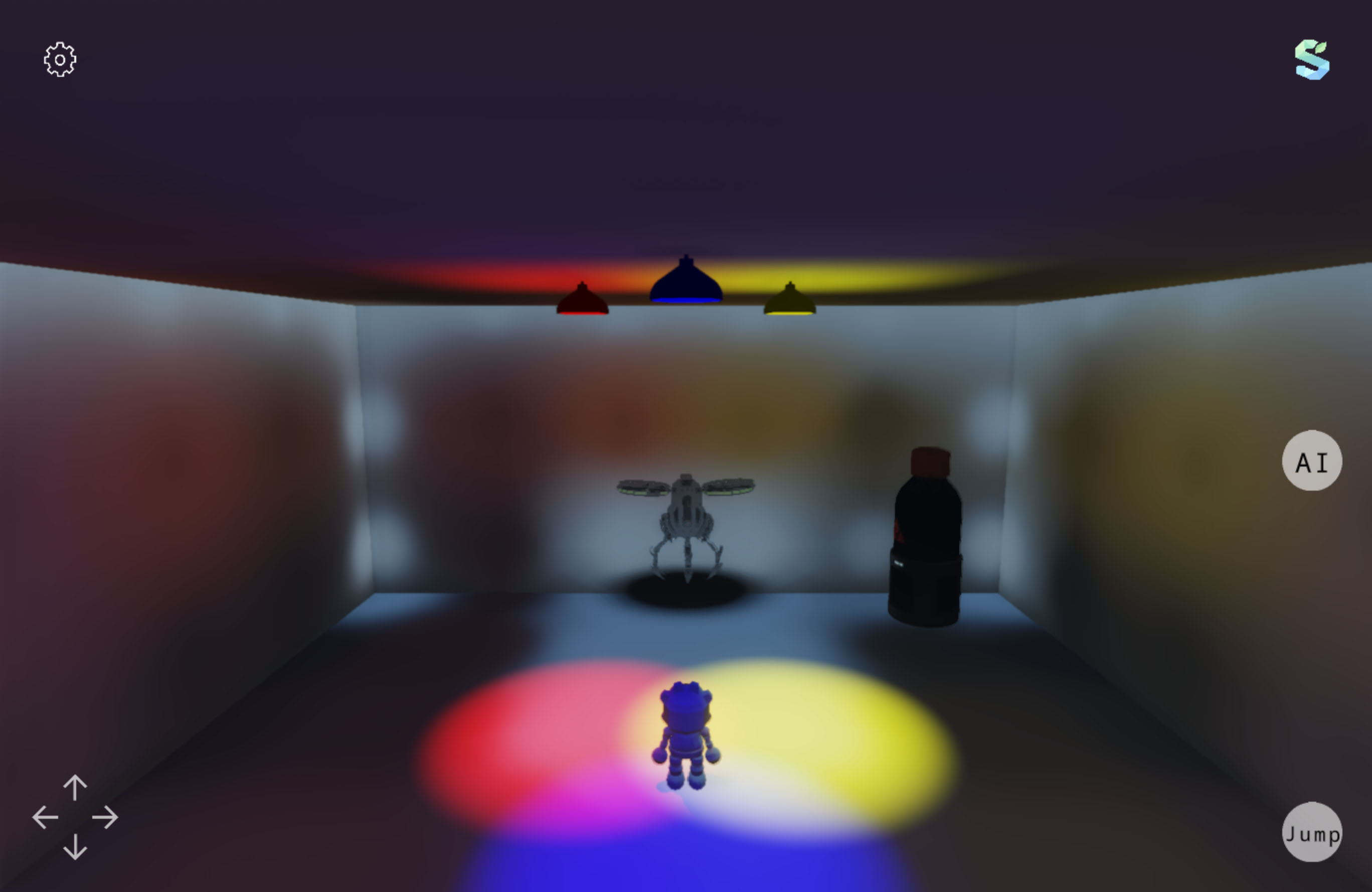 DDGI · GTAO · TAA
How the probe volume is put together
The defaults describe a 16×8×16 grid — 2048 probes — over a 32-unit cube, each probe casting 128 rays, with half the grid refreshed per frame. Those numbers are chosen so DDGI is affordable on a laptop GPU, not so it is the best it could be.
| Setting | Default | Meaning |
|---|---|---|
GiProbeGridX/Y/Z | 16 / 8 / 16 | Probe counts per axis. Y is deliberately shallower — rooms are wider than they are tall. |
GiVolumeSize | 32 | Edge length of the volume in world units. Probe spacing is this divided by the grid. |
GiSdfResolution | 64 | Voxel resolution of the SDF the probes trace against. |
GiRaysPerProbe | 128 | Rays cast per probe update. |
GiProbeUpdateDivisor | 2 | Fraction of probes refreshed each frame; 2 means half. |
GiTraceMaxSteps | 64 | Sphere-tracing step budget per ray. |
GiShadowSteps | 24 | Step budget for the shadow ray towards the sun. |
The volume follows the camera, so a 32-unit cube is a moving window on indirect light rather than a bound on scene size. Large open scenes still lose distant bounce — a single cascade of probes is the honest limit here.
Leak control and temporal behaviour
Most of what separates usable DDGI from unusable DDGI is leak rejection and how fast probes forget. These are the knobs for both.
| Setting | Default | Meaning |
|---|---|---|
GiChebyshevOcclusion | on | Variance-based visibility test. Turning it off is the fastest way to see why it exists. |
GiProbeValidity | on | Marks probes inside geometry invalid so they stop contributing. |
GiNormalBias | 0.25 | Pushes the sample point off the surface along its normal, the usual cure for self-leak. |
GiBackfaceThreshold | 0.5 | Fraction of backface hits above which a probe is treated as enclosed. |
GiHysteresis | 0.97 | Temporal blend for probe irradiance. Lower reacts faster and flickers more. |
GiBackfaceHysteresis | 0.99 | Slower blend for probes that mostly see backfaces. |
GiIntensity | 0.4 | Scales the indirect contribution. Live. |
GiBounceGain | 1.0 | Feedback gain for probe-to-probe bounce. |
GiPunctualShadow | off | Whether probe rays are shadowed by punctual lights as well as the sun. |
At 0.97 a probe takes roughly thirty frames to converge on a new lighting condition. Turn a light on and the bounce fades in over half a second. Lower the value and it arrives sooner but boils while it does. There is no setting that gives you both.
What the SDF is built from: 64 proxies
The probes do not trace against your triangles. They trace against a signed distance field
built from proxy volumes that controls contribute during the frame — and
GiProxies.MaxProxies is 64.
Sixty-four proxies, in a 4 KB buffer. Past that,
GiProxies.Overflow goes true and the extra volumes are
dropped — geometry that is still drawn, still lit directly, but invisible to
indirect light. Check Count and
Overflow if bounce light is passing through something
solid.
A control joins the field by overriding
CollectGiProxy and calling
TryAdd or
TryAddSphere; both return false rather than throwing when the
budget is spent. The two surface properties that matter are on
Control:
| Property | Meaning |
|---|---|
GiAlbedo | Colour the proxy reflects. A red wall tints the room red through this, not through its texture. |
GiEmissive | Colour the proxy emits, which is how a glowing object contributes bounce without being a light. |
The practical consequence: proxy the walls, floor and large blockers, and leave the clutter out. Sixty-four coarse volumes describing the room beats sixty-four volumes describing the furniture.
GTAO
Ground-truth ambient occlusion, computed from scene depth and normals in the AfterScene
phase and published as compute://gtao/ao. It handles the scale
DDGI cannot: the darkening where a chair leg meets the floor sits well inside one probe
cell.
| Setting | Default | Meaning |
|---|---|---|
AmbientOcclusion | Gtao | Mode selector; read at initialization. |
AoRadius | 0.5 | World-space sampling radius, in units. Live. |
AoIntensity | 1.0 | Strength of the occlusion term. Live. |
AO is applied to indirect diffuse only. Applying it to direct light is a common shortcut that produces dark rims on lit surfaces, and it is not what happens here — which also means AO will look weaker in a scene with no ambient or GI to occlude.
Seeing what the GI is doing
Two debug effects exist for exactly this.
Sdf3DViewEffect renders a slice through a distance field of
the same kind the probes trace, and DdgiEffect publishes its
own slice under compute://ddgi/sdfslice alongside the
irradiance and depth atlases. Both are addressable textures, so putting one on screen is a
Sprite2D away. If GI looks wrong, the SDF is usually where
the answer is: an object without a proxy is simply not in the field.
Post-processing and compute effects covers how those debug views are registered, and Apps/Engine shows them wired to on-screen toggles.